Best Google Workspace Android Apps You Should Use in 2026
Over 2 billion Android devices are powered by Google Workspace apps. If you’re among the countless users enhancing productivity on the go, understanding these apps is crucial. In this article, we’ll explore the essential features of Google Workspace Android Apps, their integration capabilities, and how they can optimize your workflow.
Google Workspace Android Apps offer a seamless solution that combines efficiency and accessibility. In this we’ll dive into the functionalities of these apps and how they can streamline your daily activities. As the world becomes increasingly mobile, understanding these tools is not just beneficial; it’s essential.
Why Are Google Workspace Android Apps Essential for Productivity?
Google Workspace Android Apps have revolutionized the way professionals approach productivity. With the ability to access work anytime, anywhere, users can seamlessly transition between personal and professional environments, transforming waiting in line or commuting into valuable work time.
Real-time collaboration is another standout feature of these apps. Multiple users can contribute simultaneously to documents, spreadsheets, and presentations, bridging gaps that often hinder teamwork. Coupled with seamless cloud integration, Google Workspace Android Apps eliminate the fears of misplaced files or outdated versions, as changes are saved and synced automatically across all devices.
Improved communication tools embedded within these applications enhance connectivity. This cohesive environment fosters a culture of collaboration, ultimately driving productivity to new heights. Embracing Google Workspace Android Apps not only optimizes workflows but also empowers teams to work smarter, not harder.
How to Set Up Google Workspace Android Apps on Your Device?
Setting up Google Workspace Android Apps on your device is a streamlined process that enhances productivity and organization. To get started, download the desired Google Workspace apps like Gmail, Google Drive, and Docs from the Play Store. The steps are as under:
Open the Google Play Store
After opening the Google Play Store, simply enter the names of the apps you need, like Gmail or Google Drive, into the search bar. Once you find the desired app, tap “Install” and watch as it swiftly edges toward elevating your workflow.
Each app, from Google Docs to Google Calendar, seamlessly integrates with one another, creating a cohesive ecosystem where collaboration and task management happen in real-time. But don’t just stop at installation; explore the features unique to mobile. Google Meet allows you to join virtual meetings with a single click, ensuring you’re always connected, even on the go.
With Google Sheets, you can edit spreadsheets from anywhere, making data analysis both effortless and instantaneous. By personalizing notifications and syncing settings, you can tailor your Google Workspace experience to fit your lifestyle perfectly, ensuring that your productivity never takes a backseat, no matter where you are.
Download and Install the Apps
You need Drive for cloud storage or Docs for document editing on the go, the versatility of these apps helps you remain buoyant amidst a sea of tasks. Once you’ve identified the apps you want to improve your efficiency, simply tap the “Install” button for each one.
With features designed to integrate seamlessly, these apps can transform how you interact with your team and manage projects. Embrace the simplicity of syncing your work across devices, and watch as your productivity soars to new heights with Google Workspace at your fingertips.
Sign In With Your Google Workspace Account
Setting up Google Workspace Android Apps on your device is a seamless way to harness productivity on the go. Start by launching the app of your choice, whether it’s Gmail, Google Drive, or Google Docs, and sign in with your business or school email associated with your Google Workspace account.
If your organization employs enhanced security measures, you may need to navigate a few additional steps. This could involve enabling two-step verification, which adds an extra layer of security by sending a code to your phone, or completing device approval to ensure only trusted devices access your account.
Grant Necessary Permissions
Setting up Google Workspace Android Apps on your device involves a series of permissions that enhance functionality and user experience. Granting access to your storage ensures that files sync seamlessly, allowing you to save and retrieve documents effortlessly.
Camera access is crucial for utilizing apps like Google Meet or Google Drive effectively. Enabling contacts access streamlines communication, making it simple to reach out to your team without switching between apps.
Don’t overlook microphone permissions; these are essential for voice commands and clear audio in meetings, ensuring every voice is heard. Activating notifications keeps you in the loop with updates and messages, allowing for timely responses and a more connected workflow.
Sync Your Data
After signing in, enjoy the effortless synchronization of your emails, files, calendar events, and contacts. This integration means that information flows smoothly across your devices, enabling real-time collaboration and access to data whether you’re at your desk or on the go.
Imagine drafting a document on your tablet and instantly picking up right where you left off on your phone; the fluidity of this process can dramatically enhance your workflow. The power of Google Workspace Android Apps lies in their adaptability to your preferences.
Best Google Workspace Android Apps
Gmail stands out among the Google Workspace Android Apps, not just as an email tool but as a full-fledged communication hub. Google Drive redefines file management on mobile. With seamless integration across all Google Workspace Android Apps, it’s easier than ever to access, share, and collaborate on documents, presentations, and spreadsheets.
Google Docs stands out as a powerhouse for on-the-go productivity. Its real-time editing features take collaborative work to the next level, allowing users to make instant changes and see updates from team members in a flash.
Google Meet has become the go-to app for mobile communication. Its user-friendly interface allows for easy joining of meetings, high-quality video, and secure connections. Coupled with Google Calendar, scheduling meetings becomes effortless, streamlining your daily workflow. The details are as under:
Gmail
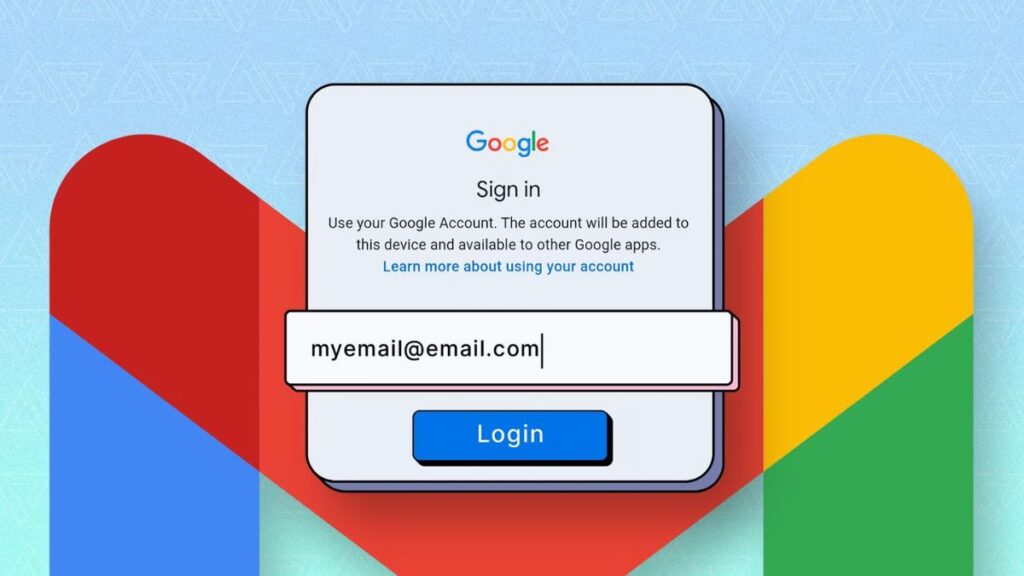
Gmail stands as the cornerstone of Google Workspace Android Apps, revolutionizing how users navigate their digital correspondence. With intuitive smart filters, it proactively organizes incoming emails, prioritizing what matters most and minimizing distractions. The quick reply feature enhances efficiency, allowing users to respond swiftly without missing a beat in their busy schedules.
Google Drive
Google Drive stands out among Google Workspace Android apps, transforming the way users interact with files on the go. Its seamless integration with other Google services means that whether you’re working on a presentation in Google Slides or drafting a document in Google Docs, you can easily store and access everything in one centralized location.
Google Docs
Google Docs stands out in the realm of Google Workspace Android Apps by seamlessly blending functionality with user-friendly design. The ability to create and edit documents on the go makes it indispensable for professionals and students alike.
Google Meet
Google Meet stands out as a premier choice among Google Workspace Android Apps, offering seamless video conferencing tailored for diverse needs — from remote work to virtual classrooms. Its high-quality video feed ensures that participants feel almost as if they’re meeting face-to-face.
Google Calendar
Google Calendar stands out among Google Workspace Android Apps for its seamless integration and user-friendly interface, making organization a breeze. One of its lesser-known functionalities is the ability to create multiple calendars ideal for users juggling personal commitments with professional obligations.
What is the Best Work Space Android App?
Among the myriad of Google Workspace Android apps. I personally like Google Docs, particularly for those who prioritize flexibility and efficiency in their workflow. Its compelling features is its offline editing capability. Theauto-save functionality is another game-changer, automatically preserving every word you type, allowing you to focus on your ideas without the fear of losing any progress.
Conclusion
Google Workspace Android Apps provide a powerful suite of tools designed for productivity and collaboration on the go. Organizing your schedule in Calendar, or collaborating on documents via Google Docs, these apps enhance your efficiency and connectivity.
FAQs
Is there a Google Workspace app for Android?
Yes, there are dedicated Google Workspace apps available for Android devices. You can find apps like Gmail, Google Drive, Google Docs, Google Sheets, and Google Meet on the Google Play Store, each tailored to enhance functionality on mobile devices.
What is Google Workspace on Android?
Google Workspace on Android is a suite of cloud-based productivity tools designed to help users collaborate and work efficiently from their mobile devices. It includes popular applications like Gmail, Google Drive, Google Docs, Google Sheets, Google Slides, and Google Meet.
Can Google Workspace be used on a phone?
Yes, Google Workspace can definitely be used on a phone! Google offers mobile applications for all its core tools in Workspace, including Gmail, Google Drive, Google Docs, Google Sheets, and Google Meet.