Android’s Documents Backup Folder Starts Rolling Out Nearly a Year After It First Appeared
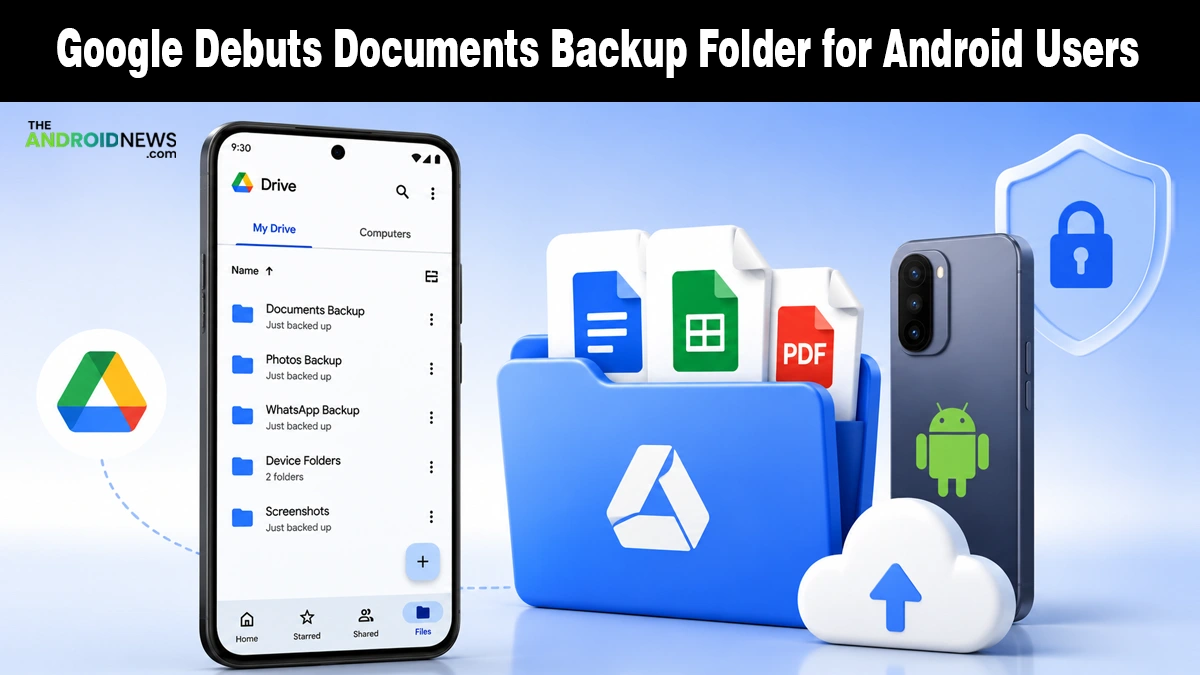
Google is finally rolling out a Documents backup option on Android devices, closing out a feature that’s been visible in bits and pieces since last August.
The addition arrives through the newest Google Play services beta and slots directly into the existing Backup page, letting phones save local files like PDFs, spreadsheets, and presentations to Google Drive automatically.
What the New Documents Folder Does
The feature lives inside Settings, then Accounts and backup, then Google Backup, where a new Documents option now appears between the existing Photos & videos and Other device data sections.
Once you flip on the Back up documents toggle, a folder named after your specific phone shows up inside Google Drive, holding everything the system backs up.
Google says supported file types include DOC, PPT, XLS, PDF, and other documents saved to the device, with everything encrypted as it travels between your phone, Google’s servers, and its data centers.
While this native tool handles your local files directly, it integrates with your automated daily schedule, so you don’t need third-party backup apps to keep your essential files secure. You can also trigger a manual sync anytime.
A Feature Google Has Been Quietly Building Since Last Year
This isn’t a rushed addition. Android Authority traced the folder’s origins back to last August, when it first appeared as a work-in-progress “Downloads” folder already showing signs of a Google Drive pairing.
Google confirmed the feature was officially in development this past February, and it’s taken roughly five more months to reach even a beta rollout.
Worth noting: turning the feature off later won’t delete files already synced to Drive, and edits made to a document in one location won’t automatically sync to other copies elsewhere, since this functions as a backup snapshot rather than live file syncing.
Arriving Alongside New Message Backup Controls
The Documents folder isn’t rolling out in isolation. It lands just days after Google’s policy change that made all Android backup data count toward your Google Account storage cap.
Moreover, alongside new individual toggles for native messaging protocols, including SMS and RCS messages, call history, and device settings under the same Other device data section.
Google confirmed to 9to5Google that the “SMS & MMS messages” toggle also governs RCS content despite its name.
Both changes are tied to version 26.25 of Google Play services, and since the Documents folder has so far only surfaced through the beta channel, a wider public rollout could still take some time.
Source: Google starts rolling out local Documents backup on Android