How to Block Spam Calls on Android
Have you ever felt like your phone rings endlessly with unsolicited calls, turning it into a digital nuisance? I certainly did, which led me to explore ways to block spam calls on Android. We’ll guide you through practical steps to block spam calls on Android, ensuring that your phone stays a productive tool rather than a nuisance.
In this article, we’ll explore effective methods to Block Spam Calls on Android, helping you reclaim your peace and focus. By the end, you’ll be armed with tools and tips to silence unwanted interruptions for good. Spam calls have become a major annoyance for Android users, but the good news is that you don’t have to put up with them.
Use Android’s Built-In Call Blocking Feature
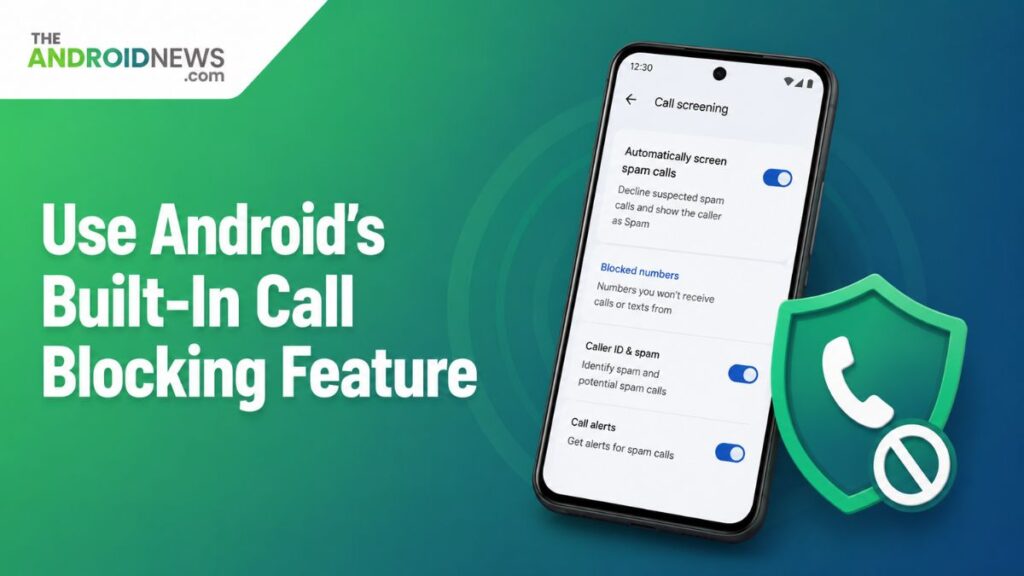
To block spam calls on Android, you can take advantage of the built-in call blocking feature available on most devices. Simply navigate to your Phone app, tap on the three-dot menu, and select “Settings.” From there, look for the “Blocked Numbers” section, where you can manually add specific numbers or even block unknown callers entirely.
Block Unwanted Numbers Manually
Android phones come with a built-in option to block specific phone numbers. If you receive a spam call, open your Phone app and find the number in your recent calls list. Tap on the number and select the block option. Once blocked, the caller will no longer be able to contact you through calls or messages. This is a quick and effective way to stop repeat spam callers.
Enable Caller ID and Spam Protection
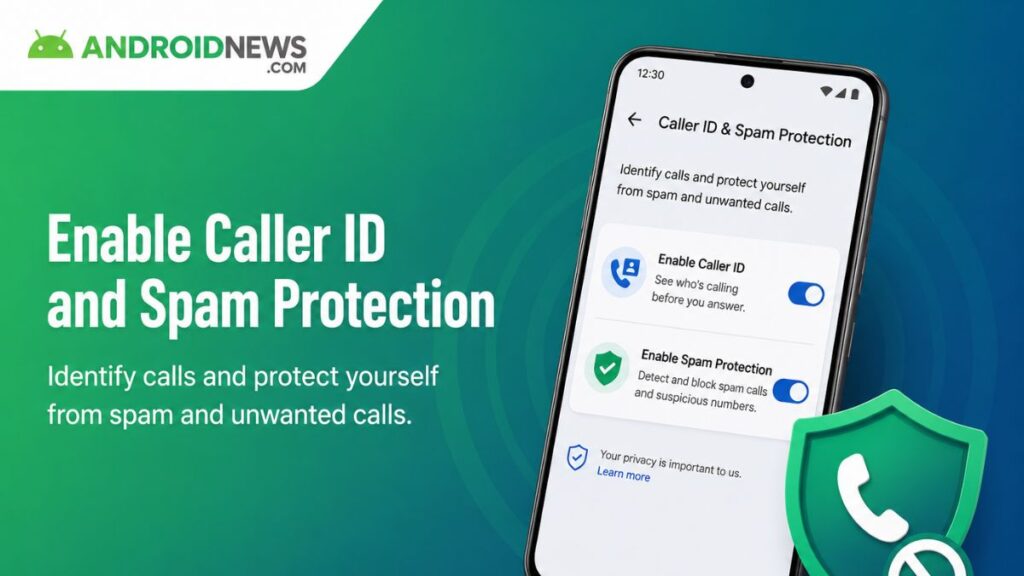
To effectively block spam calls on Android, one of the most powerful tools at your disposal is enabling Caller ID and Spam Protection. This feature not only identifies potential spam calls in real-time but also offers a proactive approach to your call management.
Let Android Detect Spam Calls
Many Android devices include a spam protection feature. Open the Phone app settings and turn on Caller ID and Spam Protection. This feature can identify suspicious numbers before you answer. You may see warnings such as “Spam Risk” on incoming calls. It helps you avoid unwanted conversations and potential scams.
Use the Do Not Disturb Feature
Utilizing the Do Not Disturb feature on your Android device isn’t just for silencing notifications; it’s also a powerful tool to block spam calls. By customizing your Do Not Disturb settings, you can create a designated space for genuine contacts while effectively shutting out unwanted interruptions.
Limit Calls from Unknown Numbers
The Do Not Disturb mode can reduce interruptions from spam callers. You can customize it to allow calls only from saved contacts. This means unknown or suspicious numbers will be silenced automatically. The feature is useful during work, study, or sleep hours. It provides greater control over who can reach you.
Get Extra Protection from Third-Party Apps
Several trusted apps are designed to block spam calls automatically. These apps maintain large databases of known spam numbers. When a spam call is detected, the app can warn you or block the call instantly. Many apps also allow users to report new spam numbers. This creates a stronger defense against unwanted calls.
Is there a way to Permanently Stop Spam Calls?
It is nearly impossible to completely eliminate spam calls, but there are effective strategies to significantly reduce their frequency. One powerful method is to proactively block spam calls on Android devices. This can be accomplished using built-in features or dedicated apps that identify and block unwanted callers.
By regularly updating your block list, you not only disrupt the spam caller’s rhythm but also send a clear message that your number is not a target for scams. Another step is reporting spam calls to your carrier or to government organizations. Many service providers have streamlined this process, allowing users to report unwanted calls with just a few taps.
This collective effort helps create a larger database that can be used to identify and prosecute spammers, empowering consumers in the fight against unsolicited calls. You may not completely rid yourself of these nuisances, adopting a proactive approach places you in control of your phone experience.
Conclusion
Block Spam Calls on Android device is not only simple but also essential for maintaining your peace of mind. By utilizing built-in features and reputable third-party apps, you can effectively minimize unwanted interruptions. Remember to regularly update your settings and review your blocked numbers to ensure optimal protection.
FAQs
How can I stop receiving spam calls on my Android phone?
First, make sure to enable your phone’s built-in spam protection. Most Android devices come with features that can identify and block suspected spam calls. You can usually find these settings under the Phone app, often in the “Call Settings” or “Spam and Call Screen” section. Here, you can activate options to block unknown or suspected spam numbers.
How do I permanently block spam calls?
Blocking spam calls can be a frustrating yet necessary task to maintain your peace. One of the first steps you can take is to register your number on the National Do Not Call Registry, which can significantly reduce the number of unsolicited calls you receive. Keep in mind that this may not eliminate all spam calls, especially those from scammers who disregard the rules.
How can I stop spam calls on my mobile?
First, consider registering your number with the National Do Not Call Registry, if you’re in the U.S. This can help reduce unsolicited calls from legitimate telemarketers. Many mobile operating systems now have built-in features that allow you to block specific numbers or report spam calls directly. Familiarize yourself with these settings to customize your call-blocking preferences.
Why am I suddenly receiving lots of spam calls?
Receiving an influx of spam calls can be perplexing and frustrating. One reason for this sudden increase could be that your phone number has been exposed in some way, whether through data breaches, online sign-ups, or even public directories. Once your number is out there, it becomes easier for scammers and telemarketers to target you, leading to a barrage of unwanted calls.