Best Android Auto Apps to Enhance Your Driving Experience in 2026
Driving shouldn’t feel like managing your smartphone on wheels.
Yet for most Android Auto users, the real challenge is choosing apps that actually work smoothly without causing distraction or confusion on the road.
In this app choosing guide, you’ll discover the most effective Android Auto apps for 2026, carefully selected to improve how you navigate, listen, and communicate on the road.
The focus is on real in-car performance, not hype, so you can build a setup that feels natural, responsive, and genuinely helpful every time you drive.
Key Takeaways
- Enhanced Navigation: Utilize apps like Google Maps and Waze for real-time updates and accurate routes.
- Seamless Entertainment: Stream music effortlessly with Spotify and Amazon Music.
- Safe Communication: Stay connected hands-free with WhatsApp’s voice-controlled messaging.
- EV Charging Solutions: ChargePoint is essential for electric vehicle owners to locate charging stations and manage their charging needs.
- Choose Wisely: Select apps based on functionality, compatibility, and personal driving preferences for the best experience.
Table of Contents
What’s New in Android Auto for 2026
Android Auto in 2026 focuses on AI-powered voice control, faster access to features, and a more glanceable dashboard layout. The latest updates improve hands-free driving by reducing taps and simplifying in-car interaction.
- Gemini is replacing Google Assistant
- Gemini is rolling out as the default assistant in Android Auto.
- Users can speak more naturally instead of using strict voice commands.
- The experience feels more conversational for navigation, calls, and media control.
- Rollout varies by device and region, and some early versions still revert to Google Assistant after updates.
- Home screen widgets are coming
- Android Auto is adding dashboard-style widgets to the home screen.
- Widgets provide quick access to media controls, navigation status, and shortcuts.
- The feature reduces screen taps and improves glanceable usability while driving.
- Google Meet calling support is expanding
- Android Auto is adding support for Google Meet audio calls.
- The feature supports hands-free communication during driving.
- It is mainly designed for work calls and audio-first conversations.
Why These Updates Matter
Android Auto in 2026 is becoming more voice-focused and AI-driven. Gemini integration and home screen widgets help drivers access information faster, complete tasks with fewer distractions, and improve the overall in-car experience. Here is the android automotive apps list that is given below:
| Category | App Name | Key Features | Why It’s Recommended |
| Navigation | Google Maps | Real-time traffic updates Turn-by-turn navigation POI integration | Reliable and accurate navigation Seamless integration with Android Auto |
| Navigation | Waze | Community-sourced updates Alerts for hazards Dynamic rerouting | Community-driven insights Real-time updates for a smoother journey |
| Music Streaming | Spotify | Access to millions of songs Personalized playlists Android Auto optimized | Leading music streaming service Rich music experience tailored for driving |
| Communication | Voice-controlled messaging Notifications for messages Hands-free operation | Stay connected safely Voice commands to minimize distractions | |
| Electric Vehicle Utility | Charge Point | Locate charging stations Check availability EV integration | Essential for EV owners Helps manage charging needs effectively |
Top Navigation Apps For Android Auto
Navigation apps are central to the Android Auto experience. Google Maps and Waze lead this category by providing real-time traffic updates, hazard alerts, and faster route optimization, though each app suits different driving styles.
- Google Maps
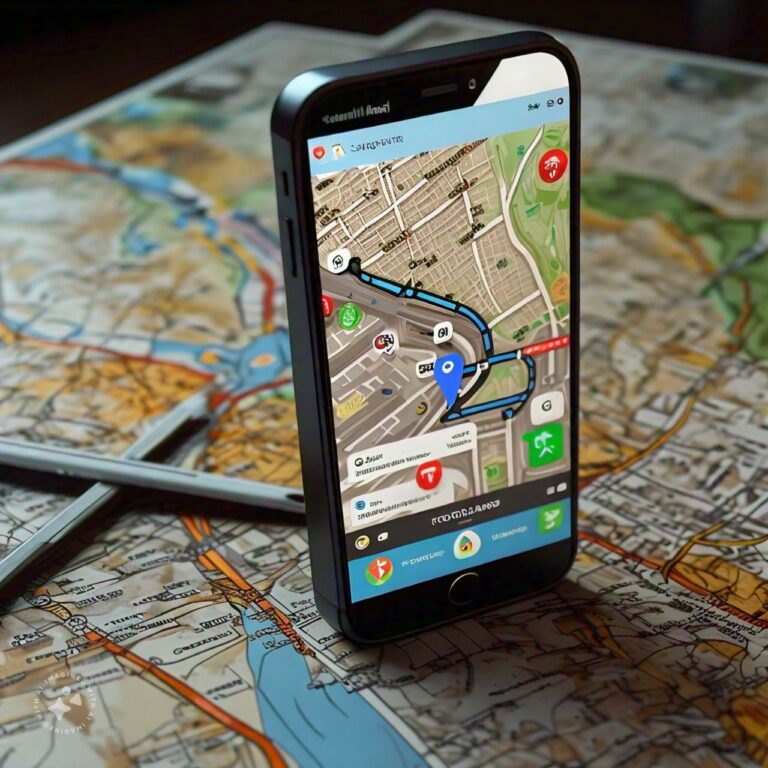
Google Maps is the benchmark for Android Auto navigation. Beacuse of its accuracy, real-time traffic intelligence, and reliable route optimization. The app supports turn-by-turn navigation, lane guidance, speed limit alerts, offline maps, and automatic rerouting for traffic or road closures.
On Android Auto, Google Maps uses a clean, driver-friendly interface with large controls and voice-first interaction through Gemini AI. Its predictive navigation can also suggest frequent routes based on your driving habits.
For commuters and long-distance drivers, Google Maps stands out for its detailed points-of-interest data, business listings, and deep integration with the Google ecosystem.
Features:
- Real-time traffic and automatic rerouting
- Offline map support for low-signal areas
- Lane guidance and speed limit warnings
- Predictive route suggestions based on habits
- Seamless Gemini AI voice integration
The app updates in real time to help you avoid traffic jams and find the quickest routes. To learn more about its features and benefits, check out Google’s official guide on using Maps with Android Auto.
- Waze – Best Android Auto App for Live Traffic Alerts
Waze is one of the most popular Android Auto apps for drivers who want instant road condition updates during daily travel. Instead of depending mainly on map databases, Waze uses live reports from its driver community to identify accidents, police activity, construction zones, and traffic slowdowns as they happen.
The app performs especially well in busy cities where traffic patterns change quickly throughout the day. Its live rerouting system can quickly suggest alternate roads to reduce travel time during congestion.
One limitation is that Waze sometimes prioritizes the fastest possible route, even if it means using narrow residential streets. This may not always be ideal for larger vehicles or unfamiliar areas. Because of this, many Android Auto users keep both Waze and Google Maps installed and choose between them based on the driving situation.
Features:
Best Music Streaming Apps For Android Auto Apps
Music and audio apps are among the most-used Android Auto apps. The best options offer simple controls, reliable streaming in weak signal areas, and strong voice command support for safer hands-free listening.
1. Spotify
Spotify is the leading music streaming app on Android Auto due to its driving-optimized interface and reliable performance. It features a simplified Car View with large controls, quick access to recent content, and stable voice-controlled playback for hands-free use.
With a library of over 100 million tracks and strong recommendation algorithms, it reduces the need for manual searching while driving. It also preloads audio more effectively on Android Auto, helping maintain uninterrupted playback in low or unstable network conditions.
Features:
Other Music Apps
Brief Mention of Alternatives: While Spotify is a standout choice, other music apps like Amazon Music offer strong integration with Android Auto. These alternatives provide similar features and can be considered based on personal preferences and subscription options.
Best Podcast and Audiobook Apps for Android Auto
Podcasts and audiobooks are a major use case for Android Auto, especially for long commutes and road trips. These apps are designed to turn driving time into focused listening time with hands-free control and seamless playback continuity.
Pocket Casts — Best Podcast App for Android Auto
Pocket Casts is one of the most refined podcast apps for Android Auto, offering a clean, driver-friendly interface that closely matches its mobile experience. It supports smooth queue management, episode resume, playback speed adjustment, and silence trimming without complex navigation.
Voice control makes it easy to move through episodes while driving, making it a strong choice for regular podcast listeners who want uninterrupted playback and simple controls.
Key strengths:
- Cross-device playback sync
- Speed control and silence trimming
- Clean, minimal in-car interface
- Reliable voice navigation for episodes
Audible — Best Audiobook App for Android Auto
Audible, powered by Amazon, is a leading audiobook platform with one of the largest global libraries. On Android Auto, it focuses on simplicity, placing your library and playback controls within easy reach for distraction-free listening.
It supports voice-based chapter navigation and uses Whispersync to sync your progress across devices, allowing seamless continuation between phone and car. Offline downloads also make it reliable for long drives without connectivity.
Key strengths:
- Extensive audiobook catalog
- Whispersync cross-device progress sync
- Voice-controlled chapter navigation
- Offline listening support
Essential Communication Apps
1. WhatsApp
WhatsApp on Android Auto is a fully voice-driven messaging solution that now supports more advanced conversation handling than basic texting apps. It can read individual and group messages aloud, recognize different participants in group chats, and allow replies to specific messages using voice commands only.
You can also send messages, respond to notifications instantly, and share your live location without touching your phone. Incoming messages appear directly on the dashboard, making communication fast and distraction-free during driving.
For most users, WhatsApp effectively covers everyday messaging needs in a fully hands-free setup on Android Auto.
Features:
How It Enhances Safety: WhatsApp’s integration with Android Auto allows you to stay connected with minimal distraction. You can use voice commands to send and receive messages, ensuring you remain focused on driving. This feature is handy for contacting contacts without compromising safety.
Google Messages — Best SMS App for Android Auto
Google Messages delivers the most reliable voice-based texting experience on Android Auto, especially for SMS and RCS conversations. Its tight integration with the Android system enables faster response times, more accurate speech-to-text conversion, and smoother interaction with Gemini voice commands.
It also supports modern RCS features like read receipts and richer media messaging, making it a stronger default option for users who rely on standard mobile texting instead of third-party apps.
Key strengths:
- Highly accurate voice dictation
- Native RCS messaging support
- Seamless Gemini AI integration
- Fast notification and reply workflow
Useful Apps for Electric Vehicle (EV) Owners
Electric vehicle drivers rely on Android Auto for one critical task, finding reliable charging stations and planning routes around them. These apps help reduce range anxiety by providing real-time charger data, availability status, and trip planning support.
ChargePoint — Best for Network Charging & Trip Planning
ChargePoint is one of the most established EV charging platforms and works seamlessly with Android Auto for in-car use. It allows drivers to locate nearby charging stations, check live availability, view pricing details, and monitor ongoing charging sessions remotely.
Its route planning feature helps integrate charging stops into longer journeys, making it easier to manage battery levels during travel. While real-time accuracy can vary depending on station connectivity, its large network coverage makes it highly dependable for EV drivers.
Key strengths:
- Real-time station locator within ChargePoint network
- Live availability and pricing information
- Remote charging session control
- Trip planning with integrated charging stops
PlugShare uses a crowd-sourced model to provide a broader view of EV charging infrastructure across multiple networks. It aggregates stations from different providers and enhances listings with user reviews, photos, reliability ratings, and check-in updates.
This makes it especially useful in unfamiliar locations, where drivers need confirmation that a charging station is operational before detouring. It also includes detailed connector information such as CCS, CHAdeMO, and NACS compatibility.
Key strengths:
Community-driven live station updates
Multi-network charging station coverage
User reviews and real-world reliability feedback
Detailed connector type support
How to Choose the Right Android Auto Apps
Selecting the best Android car apps is less about popularity and more about driving safety, usability, and reliability. Use these simple checks to evaluate any app before installing it.
- Squint Test (Quick readability)
- Can you understand controls at a glance?
- If text or buttons require reading more than a few words, it increases distraction.
- Best apps rely on clear icons and instant recognition instead of text-heavy interfaces.
- Voice Test (Hands-free control)
- Can the app be fully controlled using voice commands?
- Strong Android Auto new apps work smoothly with Gemini AI or voice input.
- Core actions should not require touching the screen.
- Tunnel Test (Offline & weak signal performance)
- Does the app still function in low or no network areas?
- Reliable apps either work offline or buffer content in advance.
- Apps that stop working during weak signal zones are not road-safe.
- Compatibility Check (System support)
- Is the app fully supported by your Android Auto version?
- Some features (like widgets) require newer Android Auto releases (16.8+).
- Always match app features with your phone and system compatibility before relying on them.
FAQs Section
What are the best navigation apps for Android Auto?
Google Maps and Waze are considered the best navigation apps for Android Auto. Google Maps offers reliable and accurate navigation, while Waze provides real-time, community-driven updates.
Can I use Spotify with Android Auto?
Yes, Spotify works seamlessly with Android Auto, allowing you to stream music, browse playlists, and control playback directly from your car’s dashboard.
How does WhatsApp integrate with Android Auto?
WhatsApp integrates with Android Auto, allowing you to send and receive messages using voice commands, minimizing distractions while driving.
Is ChargePoint useful for electric vehicle owners?
Yes, ChargePoint is a valuable app for EV owners. It helps you locate nearby charging stations and manage your vehicle’s charging needs.
Are there any other music apps recommended for Android Auto?
Besides Spotify, other music apps like Amazon Music offer good integration with Android Auto and can be considered based on personal preference.
Wrapping It Up: Build a Smarter Android Auto Setup
Android Auto in 2026 is only as useful as the apps you choose. A well-balanced setup focuses on function, safety, and simplicity rather than app quantity.
Before keeping any app, run it through three quick checks:
- Can it be understood instantly while driving?
- Does it work fully with voice control?
- Does it stay reliable in weak signal conditions?
The real goal isn’t to install more apps — it’s to build a setup that reduces effort, minimizes distraction, and makes every drive smoother and safer.